
AZ-500
Microsoft Azure Security Technologies (AZ-500) training: target audience
This course is aimed at:
- security engineers who perform security tasks as part of their job,
- engineers who want to specialize in providing security for Azure-based digital platforms and play an integral role in protecting an organization’s data,
- people who want to sit the Microsoft Certified: Azure Security Engineer Associate certification.
- Duration: 4 days
- Participants: 8 people MAX
- In Geneva or at your premises
AZ-500
Microsoft Azure Security Technologies (AZ-500) training: course outline
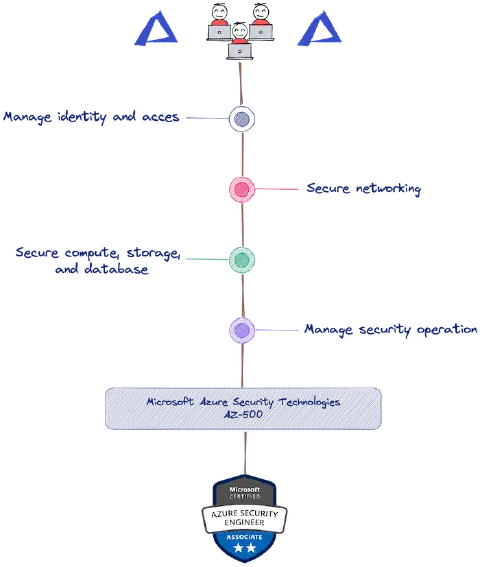
- Manage identity and access
- Secure Azure solutions with Azure Active Directory
- Implement hybrid identity
- Deploy Azure AD Identity Protection
- Configure Azure AD Privileged Identity Management
- Design an enterprise governance strategy
- Implement platform protection
- Implement perimeter security
- Configure network security
- Configure and manage host security
- Enable container security
- Secure your data and applications
- Deploy and secure Azure Key Vault
- Configure application security features
- Implement storage security
- Configure and manage SQL Database security
- Manage security operations
- Configure and manage Azure Monitor
- Enable and manage Microsoft Defender for Cloud
- Configure and monitor Microsoft Sentinel

AZ-500
Microsoft Azure Security Technologies (AZ-500) training: prerequisites
- Understand industry security best practices and requirements, such as defense in depth, least privileged access, role-based access control, multi-factor authentication, shared responsibility, and the Zero Trust model,
- Have a good understanding of security protocols, such as Virtual Private Networks (VPN), Internet Security Protocol (IPSec), Secure Socket Layer (SSL), disk and data encryption methods,
- Have experience deploying Azure workloads. This course does not cover the basics of Azure administration, but instead builds on existing knowledge and adds security-specific information.
- Have experience with Windows and Linux operating systems and scripting languages. This course will use PowerShell and the CLI.