Backstage: Taking Back Control of Your Developer Platform
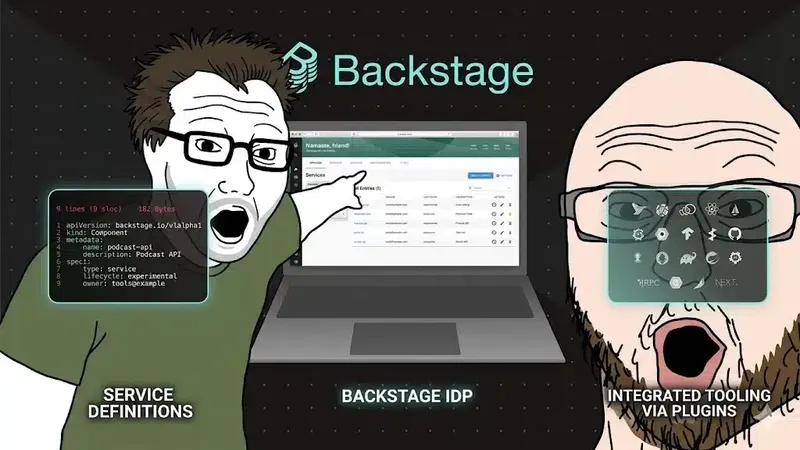
Platform engineering is a trend. AI has stolen the spotlight — but the two go hand in hand: no solid platform, no reliable AI in production. If the topic is new to you, this article on platform engineering covers the foundations.
Setting up an Internal Developer Portal means improving collaboration between teams and drastically reducing the cognitive load on your engineers.
Backstage is the open source tool that makes it concrete — without reinventing the wheel.
The Chaos Without a Developer Portal
You know this scenario.
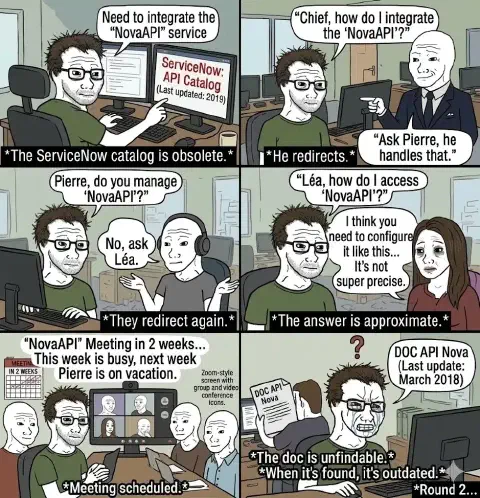
This isn’t a people problem. It’s a cognitive load problem.
In IT teams, no one can know everything. Systems grow, teams change, contexts shift. Without structure, every piece of information becomes a treasure hunt — and this invisible cost accumulates sprint after sprint, slowing everyone down.
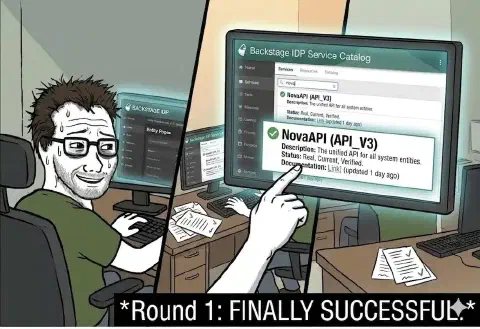
An Internal Developer Portal (IDP) solves this problem at the source: it centralizes what exists, who owns it, and how to use it.
What Is Backstage?
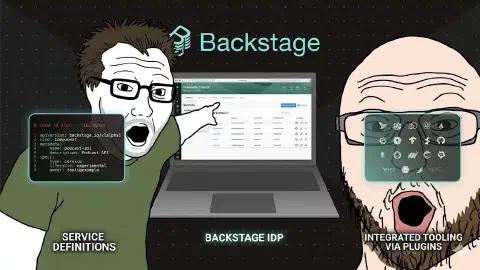
Backstage is an open source framework developed internally by Spotify to solve exactly these problems at their scale — hundreds of teams, thousands of services.
They knew from the start that every team has different needs. And that large enterprises have even more. That’s why they designed it modular and extensible: an open source core on which each organization builds its own portal.
Spotify has since launched a managed version (Spotify Portal) for those who don’t want to operate the infrastructure themselves. But Backstage’s strength remains its ability to adapt to your context — not the other way around.
Beyond modularity, Backstage is above all an abstraction layer. Platform building blocks — CI/CD, secrets, cloud provisioning, observability — are often powerful but hard for product teams to leverage. Backstage gives them a unified interface: a single entry point, without having to master each underlying tool.
An IDP like Backstage is the cherry on top of platform engineering. All the work of exposing APIs, structuring teams, automating workflows — Backstage gives it an interface. It makes visible what is invisible, accessible what is complex.
The 3 Pillars: Software Catalog, TechDocs, Scaffolder
Backstage is built on three fundamental building blocks:
Software Catalog — the map of your system. Every service, API, library, or pipeline is registered with its owner, dependencies, and state. Gone is the “I don’t know who manages that” — the answer is in the catalog, one click away.
In practice, it looks like a catalog-info.yaml file at the root of each repo:
|
One file, one commit, and your service is visible in the portal. But in practice, you go further:
|
This file becomes the component’s source of truth: who owns it, what it depends on, what API it exposes, where its docs live. All visible in the portal — no meeting, no ticket.
TechDocs — documentation where it belongs. Docs live in the repo, in Markdown format, versioned alongside the code. They render directly in Backstage. No more digging through Confluence, stumbling on a page last updated in 2021.
Scaffolder — the accelerator for new projects. As-code templates to scaffold a new service in minutes, with the right practices, the right secrets, the right configurations — already wired in.
All of this as code. Versioned. Reviewable. Auditable.
Backstage Architecture: Frontend, Backend, Plugins
Backstage is a Node.js/TypeScript application made up of two distinct parts — often hosted in the same repository, but nothing prevents you from splitting them:
|
The frontend is a React application. It exposes plugins as pages and tabs. You can customize it — routing, views, dashboards — without touching the backend.
The backend orchestrates everything: it reads catalog-info.yaml files, queries external providers (GitHub, GitLab, AWS, PagerDuty…), stores entities in a PostgreSQL database, and serves data to frontend plugins via an internal API.
Plugin Ecosystem — Extensibility Without Starting From Scratch
Every tool in your stack can become a tab in Backstage. A plugin is an npm package in two parts:
- Frontend plugin: the React components visible in the UI
- Backend plugin: the API that feeds the frontend (depending on the plugin)
Installation comes down to adding the npm packages and registering them in packages/app/src/App.tsx (frontend) and packages/backend/src/index.ts (backend).
If a building block is missing, there’s a good chance a plugin already exists. The Backstage plugin library lists several hundred community contributions — Kubernetes, Datadog, PagerDuty, GitHub Actions, Vault, ArgoCD… Your IT department can integrate new components into Backstage without rebuilding the portal from scratch. Extensibility is not a bonus — it’s a pillar of enterprise adoption.
Example: the Kubernetes Plugin
The Kubernetes plugin lets you see the state of deployments and pods linked to a service directly in Backstage — without leaving the portal, without kubectl.
|
Configuration in app-config.yaml:
|
Then an annotation in the service’s catalog-info.yaml to link the component to its pods:
|
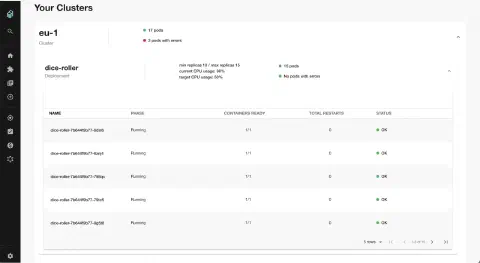
Result: a “Kubernetes” tab appears in the service’s detail page. Developers see pod state, recent deployments, errors — without direct cluster access. The same logic applies to any tool in your stack: Datadog, ArgoCD, Vault, GitHub Actions. Each plugin adds a tab, a view, an integration — without rewriting the portal.
Everything as Code: Auto-Discovery and Lifecycle
When we say Backstage is “as code,” it doesn’t just mean “files are in a repo.” It means Backstage reads your repos to update itself automatically.
Automatic Discovery
Backstage can scan an entire GitHub or GitLab organization and automatically import every catalog-info.yaml it finds:
|
A new repo created with a catalog-info.yaml appears in the portal at the next sync. No manual action. No ticket saying “please add our service to the catalog.”
This is the fundamental difference from a CMDB or a spreadsheet: the source of truth is in the repo, not in an external tool that needs to be fed separately.
Component Lifecycle
The lifecycle field in catalog-info.yaml is not cosmetic. It structures the governance of your system:
| Lifecycle | Meaning |
|---|---|
| experimental | Under development — no stability guarantee |
| production. | Active service — SLA committed, breaking changes forbidden |
| deprecated | To be migrated — no longer maintained, end-of-life date known |
|
Managers can filter the catalog by lifecycle — and identify at a glance what’s in production, what’s being decommissioned, what’s still under evaluation. Governance through the catalog rather than through spreadsheets.
What It Actually Changes in Practice
Visibility, first. Managers can see which components are used, by whom, and how often. What was a black box becomes observable.
Then, the feedback loop. A component exposed in the catalog can receive feedback directly. The owner knows if their API is being used, if it’s causing issues, if it meets the needs. A service’s lifecycle becomes alive — not frozen in a forgotten internal wiki.
The numbers speak for themselves: after rolling out Backstage, Spotify measured a 55% reduction in engineer onboarding time. That’s not a marketing figure — it’s the direct result of documenting, centralizing, and automating what was previously passed on by word of mouth.
The Prerequisite Everyone Overlooks: an API-Driven Platform
This is the point most teams underestimate at the start: Backstage only works well if your platform is exposed via API.
If your internal tools — CI/CD, secrets management, cloud provisioning, observability — are not programmatically consumable, Backstage will remain a beautiful empty catalog. A portal without self-service is just a Confluence page with a better design.
A Confluence page with a “Create Jira ticket” button is not automation. It’s manual delegation with a larger font size.
API-driven is not optional. It’s the prerequisite.
And this is where Team Topologies comes in.
The framework by Skelton & Pais distinguishes four types of teams. Two are critical here:
- Stream-aligned teams: they deliver business value. They need to consume the platform smoothly, without friction, without tickets.
- The Platform team: it builds and maintains the internal platform as a product. With an API. With documentation. With an SLA. Its customers are the stream-aligned teams.
Backstage is the interface between the two. It’s the “golden path” that the platform team exposes to product teams so they can self-serve — without depending on a human for every action.
Without a structured platform team, without an API-exposed platform, Backstage amplifies the void rather than filling it. The tool doesn’t replace the organization.
Where to Start?
Start small.
Adoption is the biggest challenge. Backstage can disrupt team habits — how they document, how they create projects, how they discover existing services.
If you start too broad, you lose people before they see the value.
Start with a single team, a single concrete use case — the Software Catalog on a limited scope, for example. Show value quickly. Let other teams come to you once they’re convinced.
Every stakeholder converted by example is ten times more effective than a management memo.
Conclusion
Three things to take away:
- An IDP reduces cognitive load, improves cross-team collaboration, and decreases ops tickets related to “I don’t know who manages that.”
- Backstage is a modular framework, not a turnkey product — it’s only as good as what your platform team invests in it.
- Backstage is a consumption portal, not a standalone platform. Starting with an IDP without an API-driven platform behind it doesn’t make sense.
And if you’re thinking about AI: that’s exactly where Backstage becomes strategic. A well-structured platform, with clear APIs and a portal like Backstage, is extremely conducive to using AI in a controlled way — agents capable of provisioning, deploying, or orchestrating by consuming golden paths defined by your platform team. Without this structure, AI remains an isolated tool. With it, it becomes a productivity lever at scale.
To go further, discover our DevOps consulting.