AKS Infrastructure (Azure Kubernetes Service Cluster): Securing Secrets in Azure

Introduction
In Kubernetes, Secrets are API objects designed for storing sensitive information such as passwords, tokens, and keys. They function similarly to ConfigMaps. Secrets are used to maintain a separation between sensitive data and application code, facilitating their independent management from the application. Within Pods, these Secrets can be utilized as environment variables, command-line arguments, or configuration files stored in a volume.
It’s important to note that the data within Kubernetes Secrets is not encrypted as it is encoded in base64 and only protected by RBAC upstream. To enhance security, Kubernetes offers encryption at rest through EncryptionConfig. This mechanism encrypts sensitive data when creating a Secret using a dedicated encryption key.
Alternatively, it is recommended to use external secret management systems such as Vault or Azure Key Vault. This approach represents a best practice for storing and managing sensitive data, thereby enhancing security within Kubernetes.
Introduction to Microsoft Workload Identity
A Workload Identity is an identity assigned to a software workload (such as an application, service, script, or container) to authenticate and access other services and resources.
They rely on the OIDC (OpenID Connect) protocol, which is an authentication protocol based on the OAuth 2.0 standard. It allows a user to authenticate with an application using a third-party identity provider, such as in our case, Microsoft Azure AD.
In an AKS context, it enables pods to access Azure resources, eliminating the need to store authentication secrets.
For example, for a workload that can store files in Azure Storage, when it needs to access these files, or as in this article, access an Azure KeyVault to retrieve a password.
Below is the conceptual diagram of our demo:
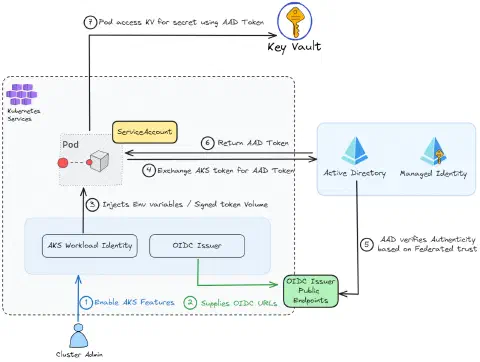
We observe several key points:
- Enabling two features in AKS
- Creating a Kubernetes service account
- Creating an Azure Managed Identity
- A federation link between the service account, OIDC Issuer, and the managed identity
Let’s now proceed with the setup of the infrastructure and a test application.
Setting Up the Infrastructure
Environment Variables
Before executing our AZ CLI commands, we will preconfigure environment variables to make it easy for you to adapt the setup of this demonstration.
|
Creating the AKS Cluster and Its Features
Let’s start by creating our resource group:
|
We can create the AKS cluster by enabling the necessary features:
|
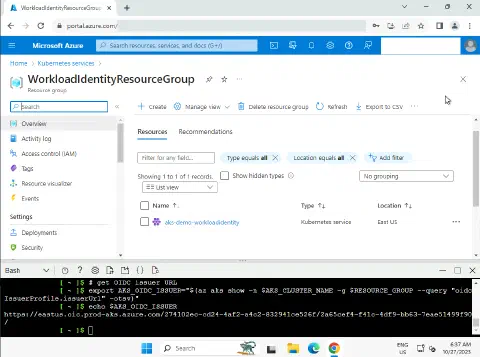
Now that the cluster is created, we can retrieve the kubeconfig and the OIDC issuer URL for the rest of the demo:
|
Creating the KeyVault
Here, we will create the KeyVault, its secret, and retrieve its URL for later use in the demonstration:
|
Creating a Managed Identity in Azure
Now, let’s create a Managed Identity:
|
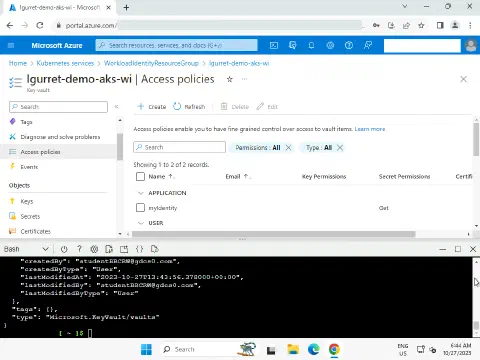
We add an access policy to allow it to read secrets from the KeyVault:
|
Creating a Service Account in Kubernetes
We can now initiate the creation of resources on the AKS cluster. Let’s start by creating the service account that will be used by our demonstration POD to connect to the KeyVault:
|
The link between our service account and our managed identity is established through an annotation in the manifest. Concurrently, webhook pods run in the background during the creation or update of pods. These webhook pods ensure that the service account’s authentication token is correctly associated with a file in the pod’s container, and they configure the necessary environment variables to allow the pod to securely access Azure resources.
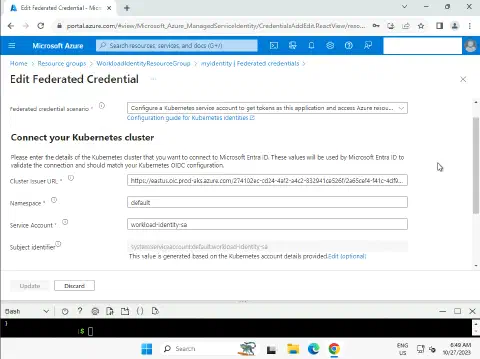
Establishing a federated trust relationship between Kubernetes and AAD (Azure Active Directory)
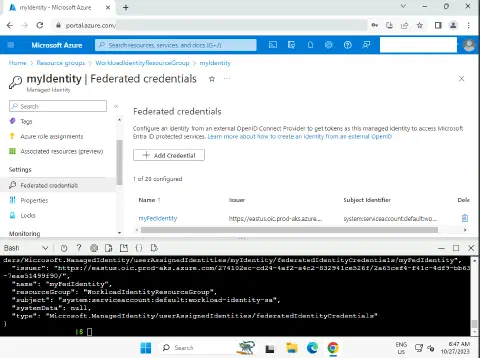
We create the federated identity between the managed identity, OIDC issuer, and the service account:
|
Infrastructure Validation
We will now validate by creating a POD using our service account and the password stored in Azure KeyVault. For this, we will use an msal-go image dedicated to this validation, as it has everything needed to read our secret using our workload identity:
|
In practice, we obviously recommend managing Workload Identities with Infrastructure as Code (IaC) using a tool like Terraform.
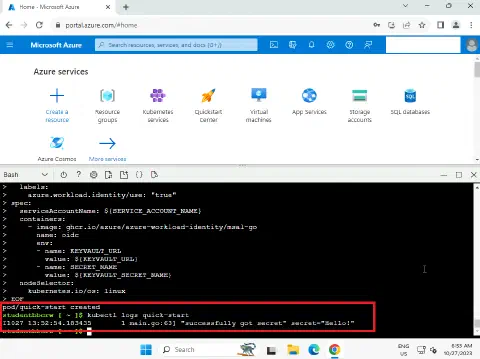
The following command allows us to verify that we can read our password!
|
Using Microsoft Entra Workload ID Feature
Now that we have set up the infrastructure allowing us to use Workload Identities, we can move on to the next step by integrating it into our container images and workloads.
The Microsoft Entra Workload ID feature integrates with the range of client libraries, such as Azure Identity, and the Microsoft Authentication Library (MSAL), especially when opting for app registration.
Here is an example Java code for retrieving a secret via Workload Identities:
|
In cases where you cannot use these libraries, it is still possible to retrieve our secret in Bash using curl:
|
In this script, only the environment variables SECRET_NAME and KEY_VAULT_URL are required!
SoKube can help you!
Check out the following links related to this blog article and learn how SoKube can assist you:
- Ask for help from our Cloud experts
- Training - Azure DevOps
- Training - Azure Security
- Training - Azure Solution Architect
Sources
- https://learn.microsoft.com/azure/aks/workload-identity-overview?tabs=dotnet#azure-identity-client-libraries
- https://learn.microsoft.com/en-us/azure/aks/learn/tutorial-kubernetes-workload-identity
- https://learn.microsoft.com/en-us/entra/workload-id/workload-identity-federation
- https://learn.microsoft.com/en-us/azure/aks/workload-identity-overview?tabs=dotnet#how-it-works
- https://azure.github.io/AKS-DevSecOps-Workshop